I wanted a quick way to get a list of flat .json format composition paths which I usually did by sending the template to an EHRbase instance and getting an example composition.
I wondered if there was a way to do this:
- Without a CDR,
- even without a coding environment
- in a format that could includes a little a bit more info on the template, and …
- ..can be easily displayed to collaborators who may not be used to looking at .json files.
So.. let those who do not have Microsoft Excel installed cast the first stone! 
(they may be right to cast it, I’m just not one of them)
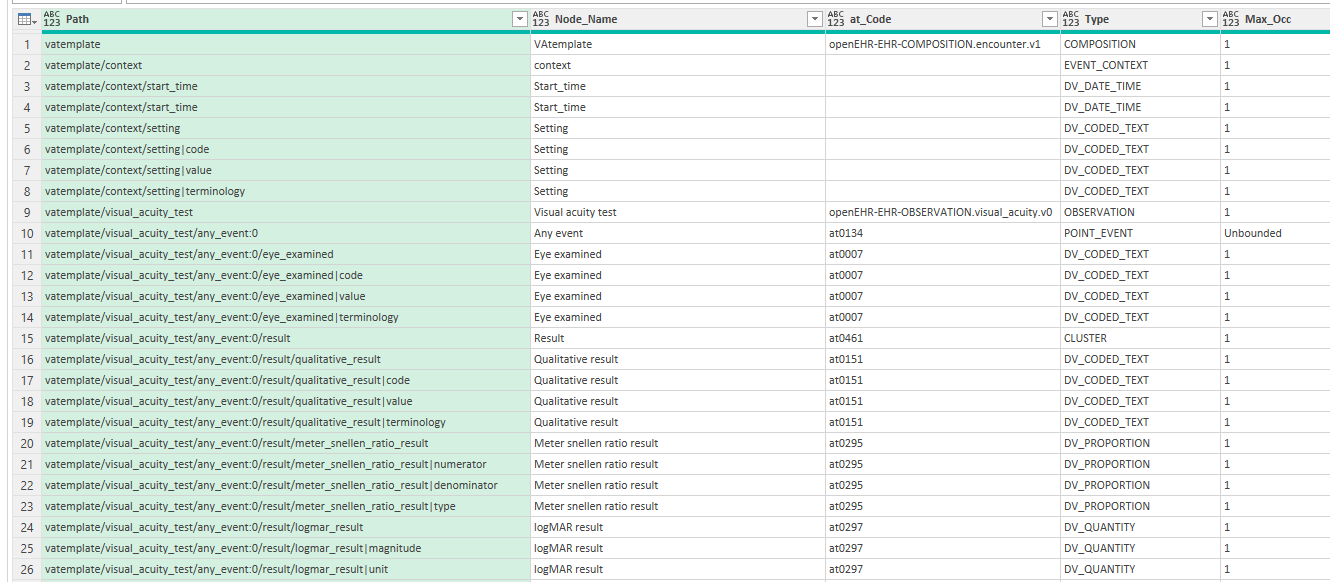
After a bit of back and forth with gemini it spit out a powerquery that seems to work without making too much of a mess. It is just 78 lines of code and it also gets the node type, at codes and cardinalities.
I just spend half an hour on this and fully expect it to break with some other data types or template features that i have not yet tried out!
Before I spend even a minute more on it I just wanted to ask I’m the only one who thinks this may sometimes be useful?
Otherwise I’ll probably leave it be!
example result:
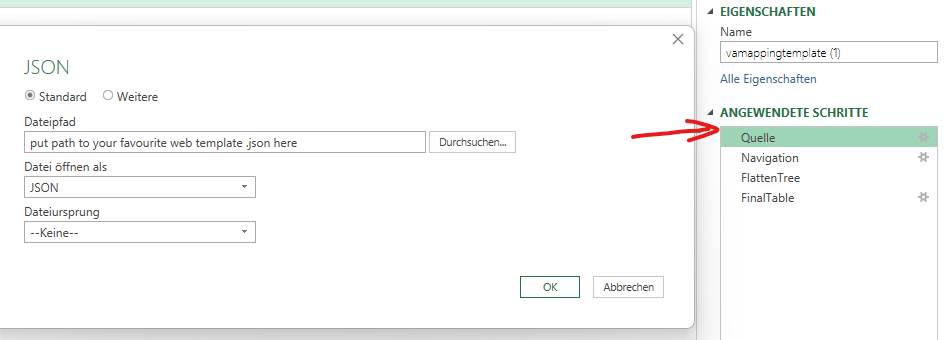
To use it you just need to enter the path to the web template .json in the source step. (Quelle = Source in German)
Can’t believe I just set up a Github repo for a silly little vibe-coded excel sheet!