@Amir_Sohail please ask this question on its own, maybe under new to openehr category. You’re posting it as a reply to a topic that is not relevant to your question. You’d get more responses if you post your question on its own, under the relevant category.
Sure, Thanks
Sorry - I am a bit late to the party here, but just wanted to add that the easiest way to physically get all archetypes for a template in their correct revision as used by the template is via the “Export Template File Set (zip)” button:
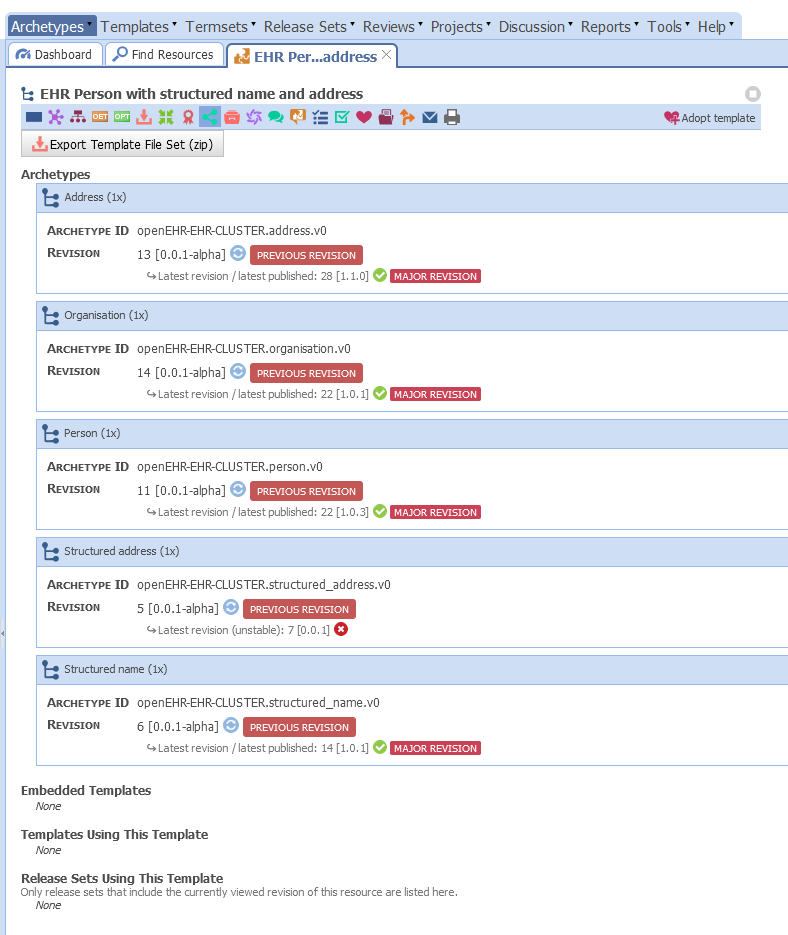
On this page, you can also see that Structured address has been Rejected - this is why it is not visible at all anymore unless you explicitly search for Rejected archetypes as well (in Find Resources go to the Lifecycle tab)
Great! Thanks a lot for your detailed guidance.
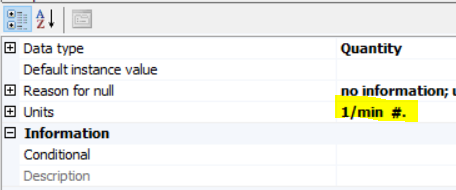
Explicitly resetting the unit of Step candence from “/min” (specified by openEHR-EHR-CLUSTER.distance_activity-walking_running.v0.adl) to frequency unit “1/min” solves the issue.
<items xsi:type="ELEMENT" archetype_node_id="at0018.1">
	<name>
	  <value>Step candence</value>
	</name>
	<value xsi:type="DV_QUANTITY">
	  <magnitude>42.0</magnitude>
	  <units>1/min</units>
	</value>
</items>